Enclosed vs Open 3D Printer: Which One Do You Actually Need?
Should you buy an enclosed or open frame 3D printer? This guide breaks down the real differences that matter for beginners, recommends specific models at every budget, and helps you decide based on where you'll actually use the machine.
This is one of the first questions every beginner faces. You've seen both styles online: sleek boxes with glass doors, and open machines where you can watch the print head from every angle. The price difference is real. But does it actually matter for what you want to print?
The short answer: it depends on your materials and your environment. If you're printing PLA in a garage or dedicated room, an open frame printer saves you money and works perfectly. If you want to print ABS, Nylon, or polycarbonate, or if your printer lives in a bedroom or living room, an enclosed 3D printer is worth the extra cost.
This guide covers exactly what you gain (and lose) with each option, recommends specific machines for beginners, and introduces a third option most articles don't mention.
This is one of the first questions every beginner faces. You've seen both styles online: sleek boxes with glass doors, and open machines where you can watch the print head from every angle. The price difference is real. But does it actually matter for what you want to print?
The short answer: it depends on your materials and your environment. If you're printing PLA in a garage or dedicated room, an open frame printer saves you money and works perfectly. If you want to print ABS, Nylon, or polycarbonate, or if your printer lives in a bedroom or living room, an enclosed 3D printer is worth the extra cost.
This guide covers exactly what you gain (and lose) with each option, recommends specific machines for beginners, and introduces a third option most articles don't mention.
What Is an Enclosed 3D Printer?
An enclosed 3D printer has panels on all four sides and a top, creating a sealed (or semi-sealed) chamber around the print area. The filament, build plate, and print head are all contained inside this box.
There are two levels of enclosure:
- Passively enclosed: Panels block airflow and trap residual heat from the heated bed, raising the chamber temperature to 35-45°C naturally. This is enough for ABS and ASA in most cases. Examples: Bambu Lab P1S, Creality K1.
- Fully enclosed with active heating: A dedicated heater raises the chamber to 60-65°C regardless of bed temperature. Required for materials like polycarbonate, Nylon, and carbon-fiber composites. Examples: Bambu Lab H2S, Qidi Max 4.
For most beginners, a passively enclosed 3D printer covers everything you'll need in your first year or two of printing.
This is one of the first questions every beginner faces. You've seen both styles online: sleek boxes with glass doors, and open machines where you can watch the print head from every angle. The price difference is real. But does it actually matter for what you want to print?
The short answer: it depends on your materials and your environment. If you're printing PLA in a garage or dedicated room, an open frame printer saves you money and works perfectly. If you want to print ABS, Nylon, or polycarbonate, or if your printer lives in a bedroom or living room, an enclosed 3D printer is worth the extra cost.
This guide covers exactly what you gain (and lose) with each option, recommends specific machines for beginners, and introduces a third option most articles don't mention.
What Is an Enclosed 3D Printer?
An enclosed 3D printer has panels on all four sides and a top, creating a sealed (or semi-sealed) chamber around the print area. The filament, build plate, and print head are all contained inside this box.
There are two levels of enclosure:
- Passively enclosed: Panels block airflow and trap residual heat from the heated bed, raising the chamber temperature to 35-45°C naturally. This is enough for ABS and ASA in most cases. Examples: Bambu Lab P1S, Creality K1.
- Fully enclosed with active heating: A dedicated heater raises the chamber to 60-65°C regardless of bed temperature. Required for materials like polycarbonate, Nylon, and carbon-fiber composites. Examples: Bambu Lab H2S, Qidi Max 4.
For most beginners, a passively enclosed 3D printer covers everything you'll need in your first year or two of printing.
What Is an Open Frame 3D Printer?
An open frame 3D printer has no enclosure around the print area. The build plate, nozzle, and moving parts are fully exposed to the surrounding room air. You can watch, touch (carefully), and access the print from any angle.
This is the original 3D printer form factor and remains the most popular among hobbyists. Open frame designs are simpler to manufacture, which makes them cheaper. They also have natural advantages for certain materials.
PLA, the most popular beginner filament, actually prints better in open air. It needs active cooling from the part fan to solidify quickly and maintain detail on overhangs and bridges. An enclosed environment can make PLA printing worse by keeping ambient temperature too high for proper cooling.
Open frame printers are also easier to maintain. Changing nozzles, clearing jams, and adjusting belts all happen without working through a door or reaching inside a box.
This is one of the first questions every beginner faces. You've seen both styles online: sleek boxes with glass doors, and open machines where you can watch the print head from every angle. The price difference is real. But does it actually matter for what you want to print?
The short answer: it depends on your materials and your environment. If you're printing PLA in a garage or dedicated room, an open frame printer saves you money and works perfectly. If you want to print ABS, Nylon, or polycarbonate, or if your printer lives in a bedroom or living room, an enclosed 3D printer is worth the extra cost.
This guide covers exactly what you gain (and lose) with each option, recommends specific machines for beginners, and introduces a third option most articles don't mention.
What Is an Enclosed 3D Printer?
An enclosed 3D printer has panels on all four sides and a top, creating a sealed (or semi-sealed) chamber around the print area. The filament, build plate, and print head are all contained inside this box.
There are two levels of enclosure:
- Passively enclosed: Panels block airflow and trap residual heat from the heated bed, raising the chamber temperature to 35-45°C naturally. This is enough for ABS and ASA in most cases. Examples: Bambu Lab P1S, Creality K1.
- Fully enclosed with active heating: A dedicated heater raises the chamber to 60-65°C regardless of bed temperature. Required for materials like polycarbonate, Nylon, and carbon-fiber composites. Examples: Bambu Lab H2S, Qidi Max 4.
For most beginners, a passively enclosed 3D printer covers everything you'll need in your first year or two of printing.
What Is an Open Frame 3D Printer?
An open frame 3D printer has no enclosure around the print area. The build plate, nozzle, and moving parts are fully exposed to the surrounding room air. You can watch, touch (carefully), and access the print from any angle.
This is the original 3D printer form factor and remains the most popular among hobbyists. Open frame designs are simpler to manufacture, which makes them cheaper. They also have natural advantages for certain materials.
PLA, the most popular beginner filament, actually prints better in open air. It needs active cooling from the part fan to solidify quickly and maintain detail on overhangs and bridges. An enclosed environment can make PLA printing worse by keeping ambient temperature too high for proper cooling.
Open frame printers are also easier to maintain. Changing nozzles, clearing jams, and adjusting belts all happen without working through a door or reaching inside a box.
Enclosed vs Open 3D Printer: Key Differences
Here's what actually changes between the two formats in practice.
Material Compatibility
This is the primary reason enclosed printers exist. High-temperature materials shrink as they cool. When the top layers of a print cool while the bottom is still warm, internal stress builds up and the part warps, cracks, or delaminates.
Open frame printers handle well:
- PLA (190-210°C nozzle, no heated chamber needed)
- PETG (220-240°C nozzle, tolerates open air)
- TPU (flexible, no warping tendency)
Enclosed printers unlock:
- ABS / ASA (need 40°C+ ambient to avoid warping)
- Nylon / PA (extremely warp-prone, hygroscopic)
- Polycarbonate (needs 60°C+ chamber for reliable prints)
- PA-CF, PPA-CF/GF (carbon fiber composites)
If you only plan to print PLA and PETG (which covers 90%+ of beginner projects), an open frame printer handles everything you need. An enclosed FDM 3D printer becomes necessary when you graduate to engineering materials.
Print Quality and Consistency
Even for materials that don't strictly require enclosure, a sealed chamber improves consistency:
- No drafts: A breeze from an air conditioner, open window, or someone walking past can cause uneven cooling on one side of your print. Enclosed printers eliminate this variable entirely.
- Stable temperature: The chamber temperature stays consistent throughout a multi-hour print. Open frame printers can experience 5-10°C ambient swings between day and night.
- Large prints benefit most: The bigger the print's base area, the more vulnerable it is to warping from temperature gradients. A 300mm wide print on an open frame machine is significantly more likely to warp than the same print in an enclosure.
For small PLA prints (under 150mm), you won't notice a quality difference. For large prints or long print jobs, enclosed printers deliver more consistent results.
Noise Level
Enclosure panels absorb and block mechanical noise. A typical open frame printer runs at 50-55 dB (conversational volume). The same printer mechanisms inside an enclosure drop to 45-48 dB. Some enclosed printers with noise-optimized designs (Bambu Lab P1S in silent mode) can hit 40-43 dB.
This matters a lot if the printer is in your living space. The difference between 55 dB and 43 dB is dramatic. 55 dB is annoying during a movie. 43 dB is barely noticeable from across the room.
Safety: Fumes, Heat, and Access
Fumes: PLA releases minimal volatile organic compounds (VOCs) during printing. ABS and ASA release styrene and other compounds that can cause headaches and irritation with prolonged exposure. An enclosed printer with a carbon filter (standard on most enclosed models) contains these emissions. If you print ABS in a room where people spend time, enclosure with filtration is not optional.
Heat: The nozzle runs at 200-300°C. The build plate sits at 60-110°C. On an open frame printer, these surfaces are exposed. Children, pets, or an accidental hand placement can cause burns. Enclosed printers put a physical barrier between hot components and curious fingers.
Particle emissions: All FDM printing releases ultrafine particles (UFPs). Studies show enclosed printers with HEPA filtration reduce particle exposure by 90%+. For a printer in a bedroom or home office, this matters for long-term air quality.
Cost
The enclosure itself adds $100-300 to the price of an equivalent printer:
- Open frame printers: $200-500 for beginner-appropriate models
- Passively enclosed printers: $400-600 for beginner models
- Actively heated enclosure: $800-1,500 (advanced, not typical beginner purchases)
The question isn't "is enclosed more expensive" (it always is). The question is whether the extra $100-300 buys you something you'll actually use.
This is one of the first questions every beginner faces. You've seen both styles online: sleek boxes with glass doors, and open machines where you can watch the print head from every angle. The price difference is real. But does it actually matter for what you want to print?
The short answer: it depends on your materials and your environment. If you're printing PLA in a garage or dedicated room, an open frame printer saves you money and works perfectly. If you want to print ABS, Nylon, or polycarbonate, or if your printer lives in a bedroom or living room, an enclosed 3D printer is worth the extra cost.
This guide covers exactly what you gain (and lose) with each option, recommends specific machines for beginners, and introduces a third option most articles don't mention.
What Is an Enclosed 3D Printer?
An enclosed 3D printer has panels on all four sides and a top, creating a sealed (or semi-sealed) chamber around the print area. The filament, build plate, and print head are all contained inside this box.
There are two levels of enclosure:
- Passively enclosed: Panels block airflow and trap residual heat from the heated bed, raising the chamber temperature to 35-45°C naturally. This is enough for ABS and ASA in most cases. Examples: Bambu Lab P1S, Creality K1.
- Fully enclosed with active heating: A dedicated heater raises the chamber to 60-65°C regardless of bed temperature. Required for materials like polycarbonate, Nylon, and carbon-fiber composites. Examples: Bambu Lab H2S, Qidi Max 4.
For most beginners, a passively enclosed 3D printer covers everything you'll need in your first year or two of printing.
What Is an Open Frame 3D Printer?
An open frame 3D printer has no enclosure around the print area. The build plate, nozzle, and moving parts are fully exposed to the surrounding room air. You can watch, touch (carefully), and access the print from any angle.
This is the original 3D printer form factor and remains the most popular among hobbyists. Open frame designs are simpler to manufacture, which makes them cheaper. They also have natural advantages for certain materials.
PLA, the most popular beginner filament, actually prints better in open air. It needs active cooling from the part fan to solidify quickly and maintain detail on overhangs and bridges. An enclosed environment can make PLA printing worse by keeping ambient temperature too high for proper cooling.
Open frame printers are also easier to maintain. Changing nozzles, clearing jams, and adjusting belts all happen without working through a door or reaching inside a box.
Enclosed vs Open 3D Printer: Key Differences
Here's what actually changes between the two formats in practice.
Material Compatibility
This is the primary reason enclosed printers exist. High-temperature materials shrink as they cool. When the top layers of a print cool while the bottom is still warm, internal stress builds up and the part warps, cracks, or delaminates.
Open frame printers handle well:
- PLA (190-210°C nozzle, no heated chamber needed)
- PETG (220-240°C nozzle, tolerates open air)
- TPU (flexible, no warping tendency)
Enclosed printers unlock:
- ABS / ASA (need 40°C+ ambient to avoid warping)
- Nylon / PA (extremely warp-prone, hygroscopic)
- Polycarbonate (needs 60°C+ chamber for reliable prints)
- PA-CF, PPA-CF/GF (carbon fiber composites)
If you only plan to print PLA and PETG (which covers 90%+ of beginner projects), an open frame printer handles everything you need. An enclosed FDM 3D printer becomes necessary when you graduate to engineering materials.
Print Quality and Consistency
Even for materials that don't strictly require enclosure, a sealed chamber improves consistency:
- No drafts: A breeze from an air conditioner, open window, or someone walking past can cause uneven cooling on one side of your print. Enclosed printers eliminate this variable entirely.
- Stable temperature: The chamber temperature stays consistent throughout a multi-hour print. Open frame printers can experience 5-10°C ambient swings between day and night.
- Large prints benefit most: The bigger the print's base area, the more vulnerable it is to warping from temperature gradients. A 300mm wide print on an open frame machine is significantly more likely to warp than the same print in an enclosure.
For small PLA prints (under 150mm), you won't notice a quality difference. For large prints or long print jobs, enclosed printers deliver more consistent results.
Noise Level
Enclosure panels absorb and block mechanical noise. A typical open frame printer runs at 50-55 dB (conversational volume). The same printer mechanisms inside an enclosure drop to 45-48 dB. Some enclosed printers with noise-optimized designs (Bambu Lab P1S in silent mode) can hit 40-43 dB.
This matters a lot if the printer is in your living space. The difference between 55 dB and 43 dB is dramatic. 55 dB is annoying during a movie. 43 dB is barely noticeable from across the room.
Safety: Fumes, Heat, and Access
Fumes: PLA releases minimal volatile organic compounds (VOCs) during printing. ABS and ASA release styrene and other compounds that can cause headaches and irritation with prolonged exposure. An enclosed printer with a carbon filter (standard on most enclosed models) contains these emissions. If you print ABS in a room where people spend time, enclosure with filtration is not optional.
Heat: The nozzle runs at 200-300°C. The build plate sits at 60-110°C. On an open frame printer, these surfaces are exposed. Children, pets, or an accidental hand placement can cause burns. Enclosed printers put a physical barrier between hot components and curious fingers.
Particle emissions: All FDM printing releases ultrafine particles (UFPs). Studies show enclosed printers with HEPA filtration reduce particle exposure by 90%+. For a printer in a bedroom or home office, this matters for long-term air quality.
Cost
The enclosure itself adds $100-300 to the price of an equivalent printer:
- Open frame printers: $200-500 for beginner-appropriate models
- Passively enclosed printers: $400-600 for beginner models
- Actively heated enclosure: $800-1,500 (advanced, not typical beginner purchases)
The question isn't "is enclosed more expensive" (it always is). The question is whether the extra $100-300 buys you something you'll actually use.
The Purpose of a 3D Printer Enclosure
Most articles frame the enclosure debate as purely about material compatibility. But the purpose of a 3D printer enclosure extends well beyond printing ABS:
- Temperature stability: Consistent chamber temp means consistent print quality, even for PLA on long prints
- Dust protection: Keeps airborne particles off your print surface and out of the motion system
- Noise reduction: 5-15 dB quieter, significant for living spaces
- Child and pet safety: Physical barrier around hot surfaces and moving parts
- Fume containment: Keeps VOCs inside the machine and routed through filtration
- Draft elimination: No AC vents, open windows, or foot traffic affecting your print
- Reduced stringing on some materials: PETG in particular benefits from reduced airflow around the nozzle
If your situation includes any 2-3 of these needs, an enclosure is worth it even if you never print ABS.
The Third Option: Open Frame + DIY Enclosure
Here's what most comparison articles don't tell you: you don't have to choose permanently. Many users buy an open frame printer (cheaper upfront) and add a DIY enclosure later when they need one.
Popular DIY enclosure approaches:
- IKEA Lack table enclosure: Two IKEA Lack side tables ($10 each) stacked and wrapped with acrylic panels. The most popular community build, hundreds of guides available online. Costs $40-80 total.
- Custom acrylic/polycarbonate box: Cut panels to fit your specific printer. Clean look, good visibility. $50-100 in materials.
- Cardboard box (temporary): For occasional ABS prints, even a large cardboard box placed over the printer traps enough heat to reduce warping. Free, ugly, but works.
- 3D printed enclosure parts: Print the frame connectors yourself, add foam board or acrylic panels. Community designs available on MakerWorld.
What a DIY enclosure gives you:
- Draft protection (good)
- Noise reduction (moderate, 3-8 dB)
- Some heat retention (chamber reaches 30-40°C passively)
- Dust protection (good)
What it doesn't give you:
- Active heating (no 60°C+ chamber)
- Proper fume filtration (unless you add a separate filter)
- The same seal quality as a purpose-built enclosed machine
- Reliable polycarbonate or Nylon printing
A 3D printer with enclosure added after purchase is a solid middle ground. You get 70-80% of enclosure benefits at 20% of the cost premium. For beginners who mostly print PLA but want the option to try ABS occasionally, this is often the smartest path.
Best Enclosed 3D Printers for Beginners (2026)
Bambu Lab P1S Combo (~$600)
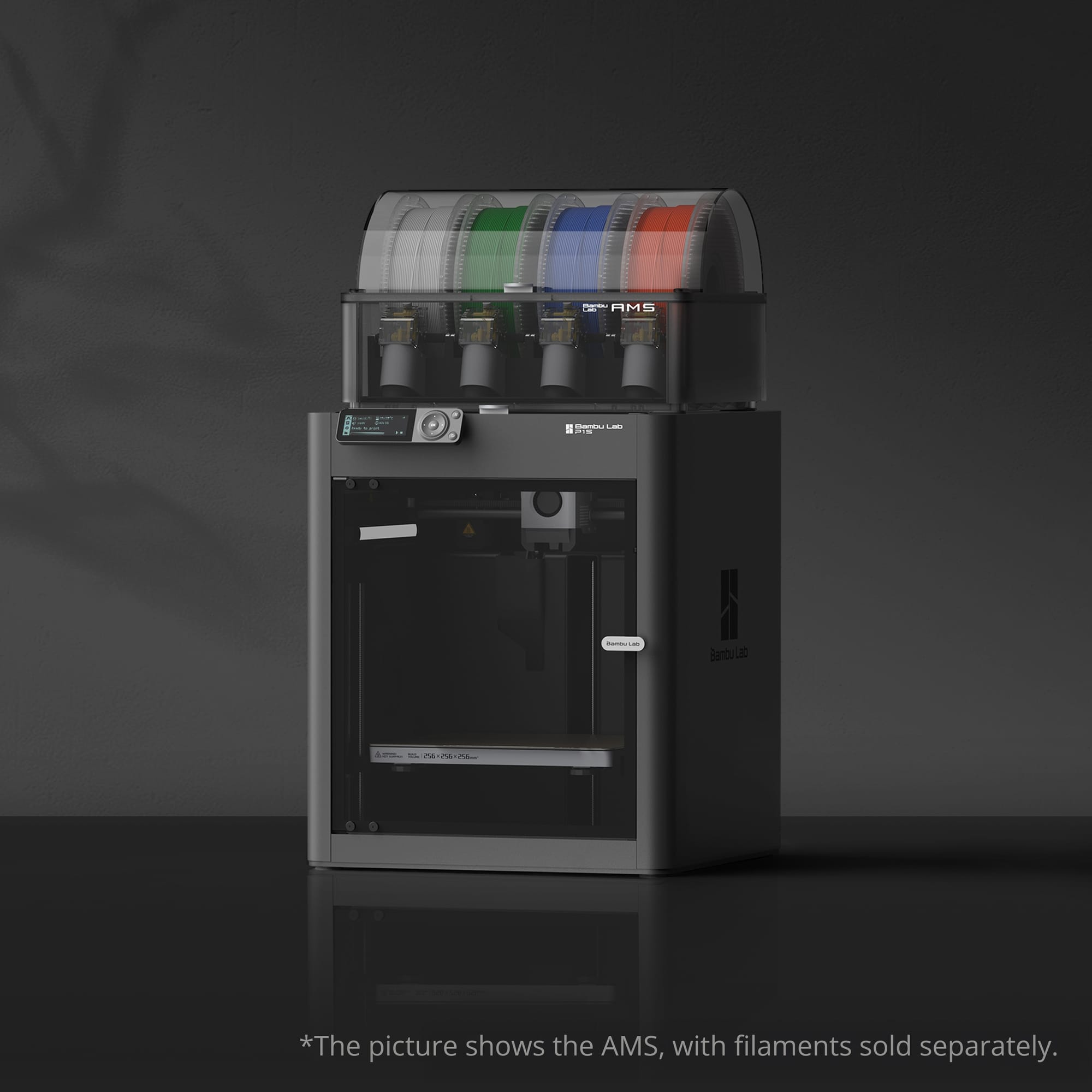
The best enclosed 3D printer for most beginners. Passively enclosed with a carbon filter, handles PLA through ABS/ASA reliably. Same Core XY speed platform as Bambu's premium machines (up to 500 mm/s). Auto-calibration, AI failure detection, and one-touch setup. If you know you want enclosure from day one, this is the most capable option under $700.
- Build volume: 256 x 256 x 256 mm
- Materials: PLA, PETG, ABS, ASA, TPU, PA (with drying)
- Key features: Enclosed + carbon filter, auto-everything, AMS compatible (multi-color)
Creality K1 (~$300)
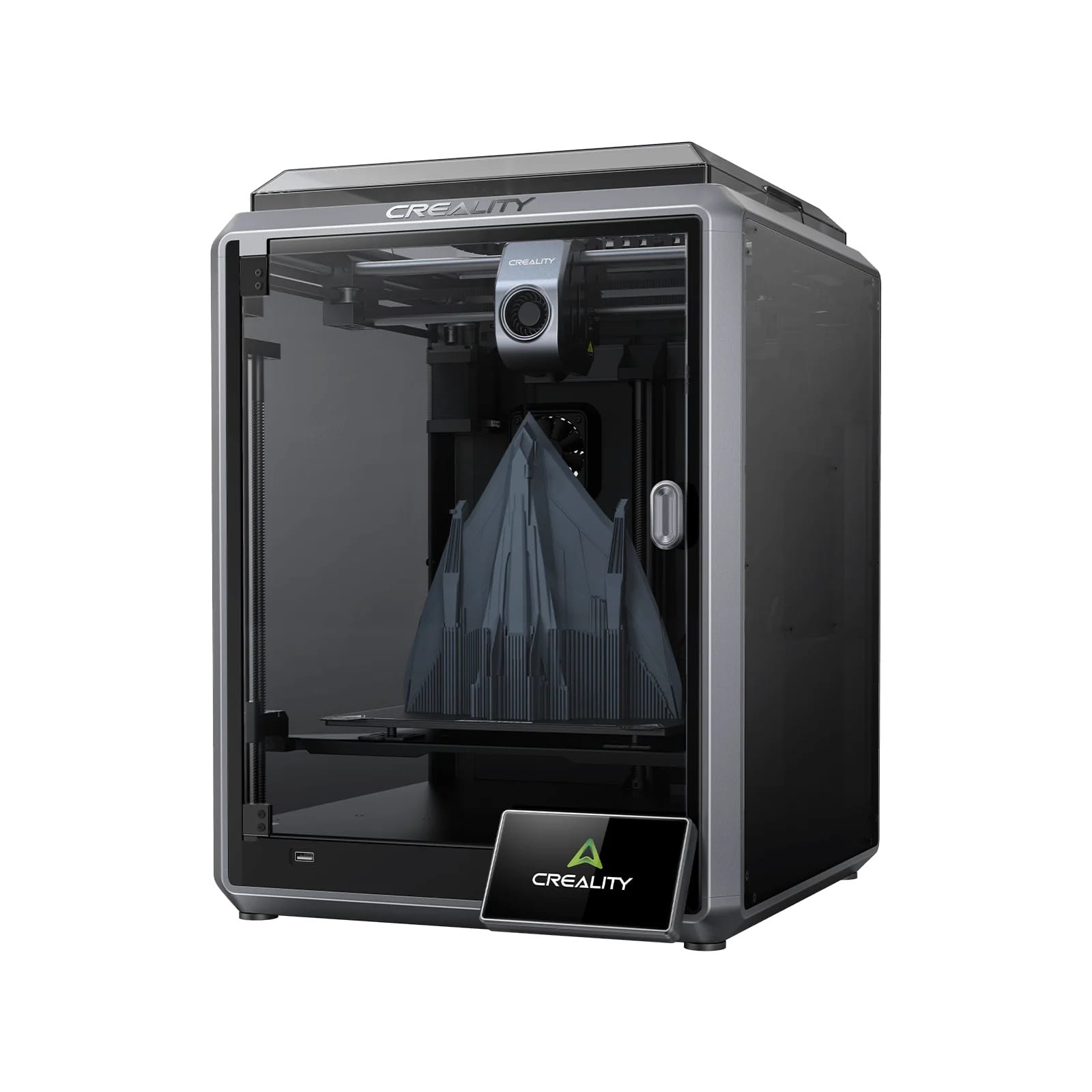
Budget enclosed option with genuine high-speed capability (600 mm/s). Smaller community than Bambu Lab but solid hardware for the price. Good if you want enclosed + fast and need to stay under $500.
- Build volume: 220 x 220 x 250 mm
- Materials: PLA, PETG, ABS, ASA, TPU
- Key features: Enclosed, high-speed, auto bed leveling, direct drive
FlashForge Adventurer 5M Pro (~$450)
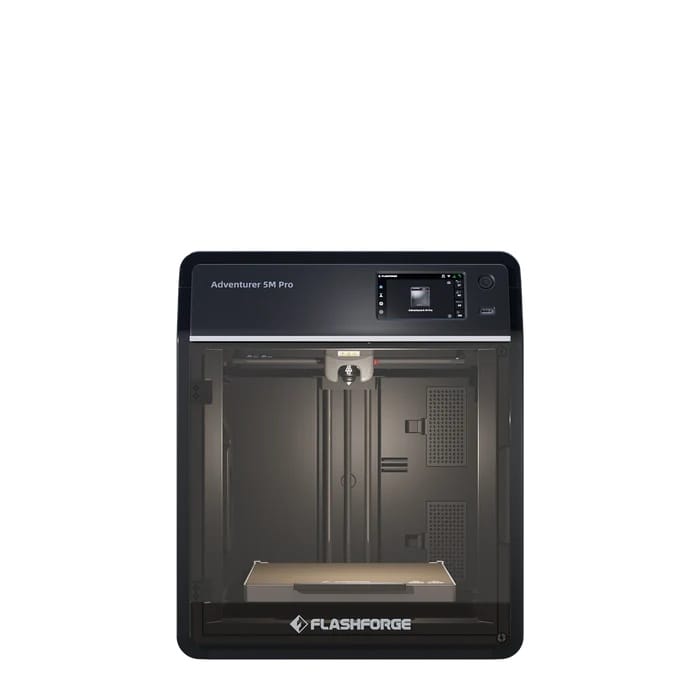
The most plug-and-play enclosed experience. Designed specifically for ease of use with quick-swap nozzles, built-in camera, and a fully enclosed chamber. Good for classrooms, offices, and beginners who want zero tinkering.
- Build volume: 220 x 220 x 220 mm
- Materials: PLA, PETG, ABS, ASA, TPU
- Key features: Quick-swap nozzle, enclosed, built-in camera, beginner-optimized UI
Best Open Frame 3D Printers for Beginners (2026)
Bambu Lab A1 Combo (~$399)
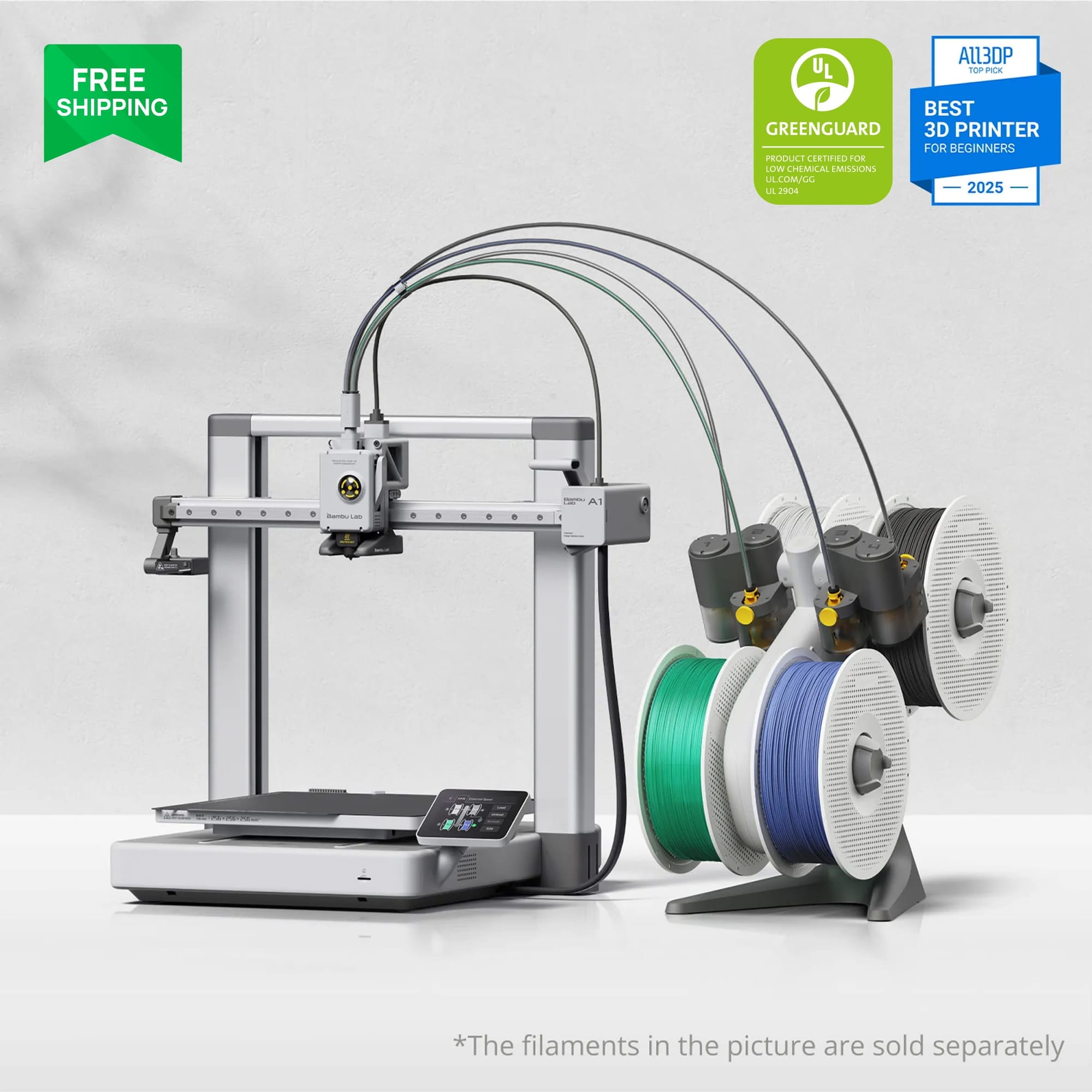
The best overall open frame printer for beginners. Auto-calibration, vibration compensation, and Bambu's ecosystem make it genuinely plug-and-play despite the open frame. Supports AMS Lite for multi-color printing (up to 4 colors).
- Build volume: 256 x 256 x 256 mm
- Max speed: 500 mm/s
- Key features: Auto-everything, AMS Lite compatible, excellent stock profiles
Creality Ender 3 V3 (~$200)
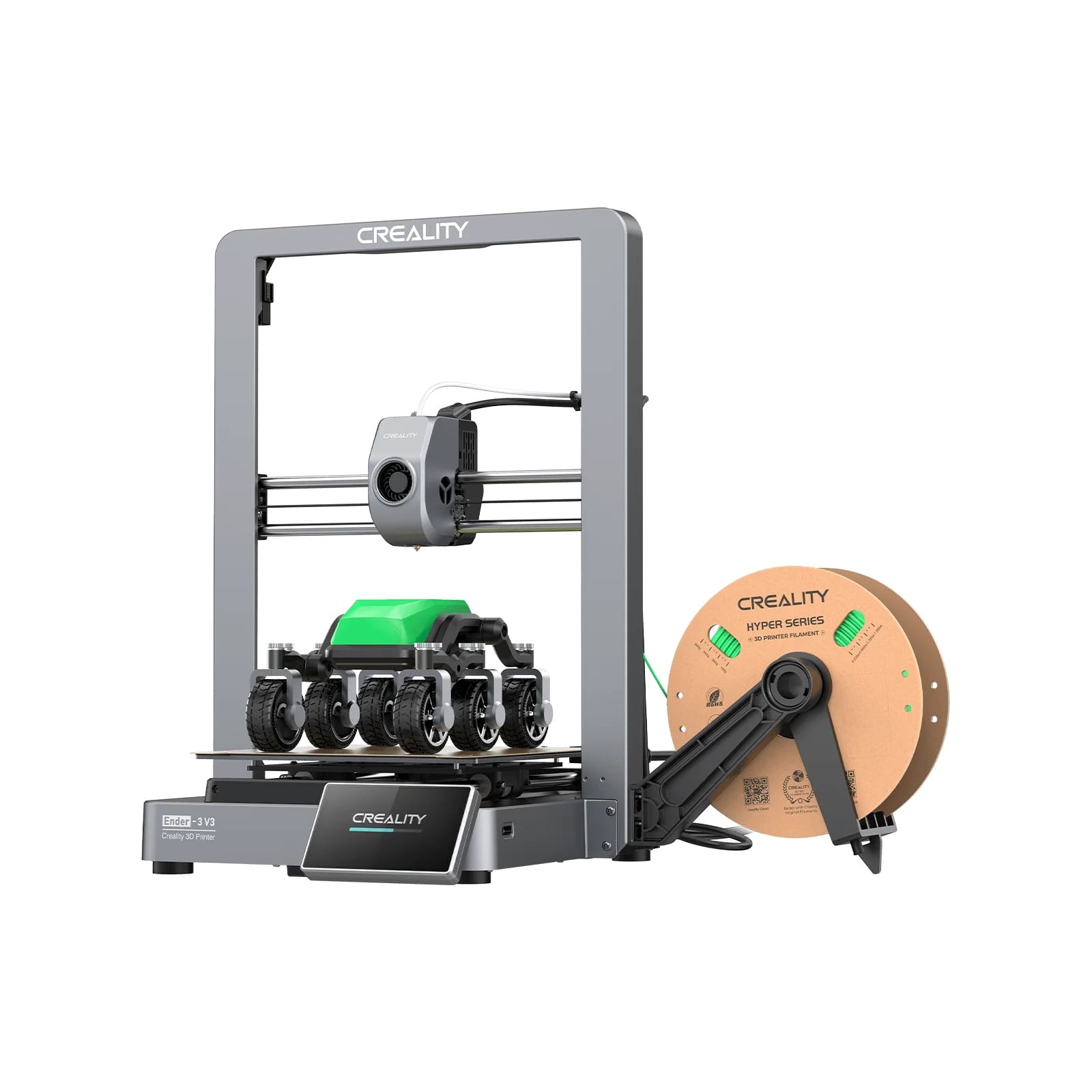
The classic budget entry point, now in its third generation with auto bed leveling and direct drive. Massive community support means every problem you'll encounter has a YouTube solution. Best for absolute tightest budgets.
- Build volume: 220 x 220 x 250 mm
- Max speed: 600 mm/s (with Klipper)
- Key features: Huge community, cheapest entry, abundant tutorials and mods
Elegoo Neptune 4 (~$250)
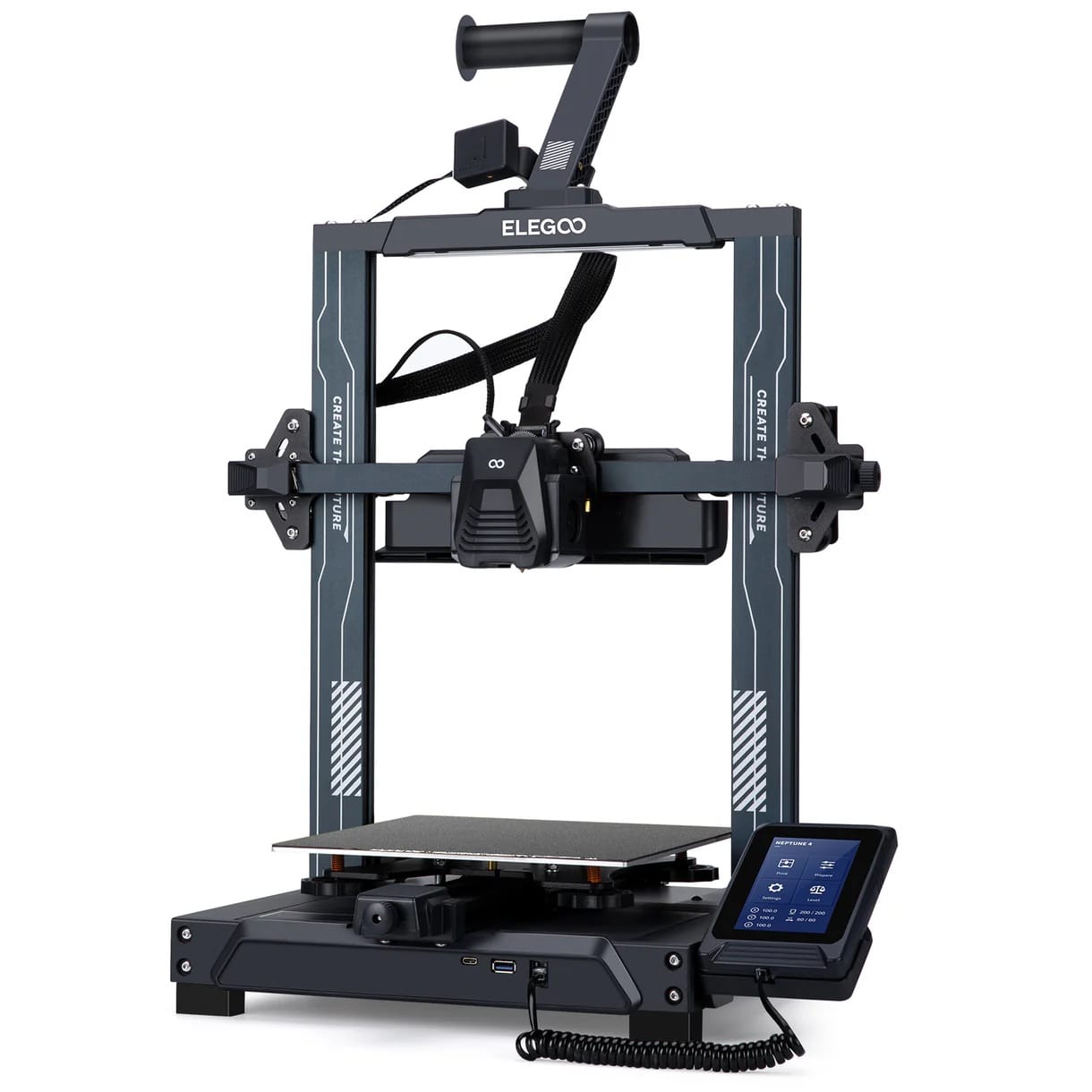
High-speed budget printer with Klipper firmware out of the box. Faster than the Ender 3 at a similar price point. Dual-sided PEI build plate handles PLA and PETG well.
- Build volume: 225 x 225 x 265 mm
- Max speed: 500 mm/s
- Key features: Klipper firmware, fast, auto bed leveling, direct drive
Where You Put Your Printer Matters
Your physical environment should influence your enclosed vs open 3D printer decision as much as your material plans:
Bedroom or living room: Choose enclosed. You'll hear an open frame printer during every evening print. Fumes (even from PLA) in a sleeping space aren't ideal. The enclosure contains noise, particles, and keeps the printer from becoming an eyesore with visible filament paths and printed parts in progress.
Dedicated home office: Either works. If it's just you and the printer, open frame is fine with a window crackable for ventilation. If you take video calls from the same room, enclosed keeps noise from leaking into your microphone.
Garage or workshop: Open frame is perfectly fine. Ventilation is typically abundant, noise doesn't matter, and you save $100-300 for upgrades or filament. The one exception: if your garage gets very cold in winter (below 15°C), an enclosure helps maintain print temperature for any material.
Household with kids or pets: Enclosed is strongly recommended regardless of material choice. Hot nozzles and moving parts are a burn and pinch hazard. Cats are famously attracted to moving print heads. An enclosed printer with a locking door eliminates these risks.
Classroom or office: Enclosed is essentially mandatory. Safety liability, noise complaints, and air quality regulations all point toward enclosed machines with filtration.
When You Should Upgrade from Open to Enclosed
If you start with an open frame printer, here are the signs it's time to add a DIY enclosure or buy an enclosed machine:
- Your prints consistently warp on the first few layers, especially large-footprint models
- You want to print ABS or ASA for UV-resistant outdoor parts
- You've moved the printer into a living space and the noise is annoying
- You're getting inconsistent results between summer and winter (ambient temperature swings)
- You have a new pet or child who's interested in the moving parts
If none of these apply to you after 6 months of printing, you probably don't need an enclosure and should spend that money on different filament types instead.
When You Should Upgrade from Open to Enclosed
If you start with an open frame printer, here are the signs it's time to add a DIY enclosure or buy an enclosed machine:
- Your prints consistently warp on the first few layers, especially large-footprint models
- You want to print ABS or ASA for UV-resistant outdoor parts
- You've moved the printer into a living space and the noise is annoying
- You're getting inconsistent results between summer and winter (ambient temperature swings)
- You have a new pet or child who's interested in the moving parts
If none of these apply to you after 6 months of printing, you probably don't need an enclosure and should spend that money on different filament types instead.
FAQ
Which is better, an enclosed or open 3D printer?
Neither is universally better. Open frame printers are better for PLA (needs cooling), cheaper, and easier to maintain. Enclosed printers are better for ABS/Nylon/PC, quieter, and safer in living spaces. For beginners who mainly print PLA and PETG, an open frame printer like the Bambu Lab A1 ($399) gives the best value. For beginners who want ABS capability or a quiet living-room printer, the Bambu Lab P1S ($600) is the best enclosed option.
Is it worth getting an enclosed 3D printer?
Yes, if any of these apply: you plan to print ABS, ASA, Nylon, or polycarbonate; your printer lives in a bedroom, living room, or office; you have children or pets; or you need consistently high quality on large prints. If you only print PLA/PETG in a workshop with good ventilation, an open frame saves $100-300 with no practical downside.
Does PETG print better enclosed or open?
PETG prints well in both environments. Standard-size PETG parts (under 200mm) show minimal difference between enclosed and open. Large PETG prints (300mm+ base) benefit from enclosure because the stable temperature reduces corner warping. If PETG is your primary material, you don't need to buy an enclosed printer specifically for it, but you won't regret having one either.
Does a 3D printer need to be enclosed?
No. The majority of desktop 3D printers sold worldwide are open frame, and the majority of hobbyist printing uses PLA, which doesn't need or want an enclosure. An enclosure becomes necessary only for high-temperature materials (ABS, Nylon, PC) or when environmental factors (noise, safety, fumes) require containment. Think of it as a "nice to have" for PLA users and a "need to have" for engineering material users.