Bambu Lab A2L Review: The Best Affordable Large Format 3D Printer for Beginners
Full review of the Bambu Lab A2L: a $569 large-format 3D printer with 330x320x325mm build volume, auto-calibration, and multi-color support.
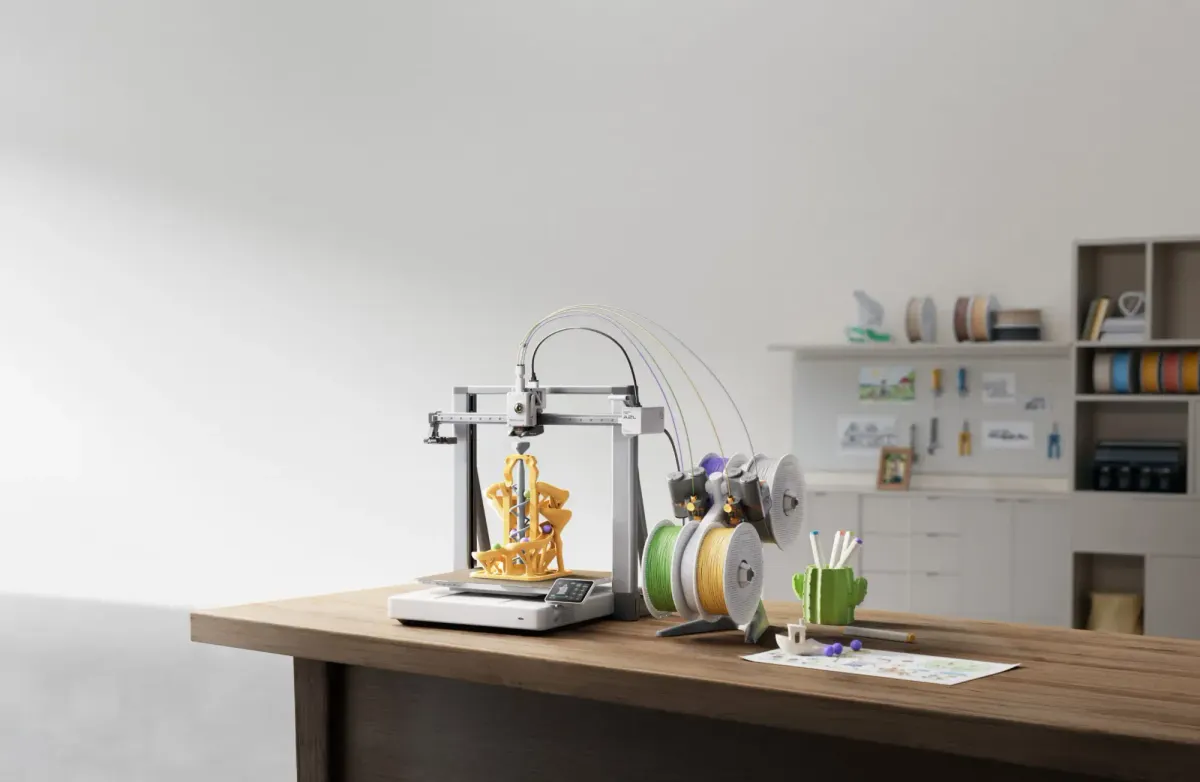
Can you find an affordable large-format 3D printer for beginners? Yes. The Bambu Lab A2L ($569) is a large format FDM 3D printer with a 330 x 320 x 325mm build volume, full auto-calibration, multi-color printing support, and a multi-tool ecosystem that includes blade cutting. It delivers 105% more build space than the standard 256mm class of printers, at a price that undercuts most large format competitors by $200 to $1,000.
For beginners who want to print full-size helmets in one piece, batch produce dozens of items per run, or simply have the freedom to print large without splitting models into parts, the A2L is the most accessible entry point into large format 3D printing available in 2026. It combines the build volume of printers twice its price with the plug-and-play simplicity that Bambu Lab is known for.
I have been using the A2L for several weeks and this review covers everything a beginner needs to know: real print quality, the features that actually matter day to day, honest comparisons with competitors, and who should (and should not) buy this printer.
Bambu Lab A2L Specs at a Glance
| Specification | Bambu Lab A2L |
|---|---|
| Price | $569 (standard) / $699 with AMS Lite Combo |
| Build Volume | 330 x 320 x 325mm (34.3 liters) |
| Printer Type | FDM, bed-slinger with Adaptive Vibration Compensation |
| Nozzle | 0.4mm (swappable to 0.2mm, 0.6mm, 0.8mm) |
| Max Nozzle Temp | 300°C |
| Max Bed Temp | 120°C |
| Calibration | Full-auto (bed leveling, flow dynamics, vibration compensation) |
| Multi-Color | AMS Lite (4 colors), expandable to 16 with 2nd-Gen AMS |
| Multi-Tool | Blade cutting module, pen plotting module (sold separately) |
| Noise Level | 49dB in Silent Mode |
| Connectivity | Wi-Fi, LAN-only mode, Bambu Handy app |
| Safety Certification | UL 2904 GREENGUARD (indoor air quality) |
| Frame Type | Open frame |
| Touchscreen | High-resolution with smartphone-style UI |
| Failure Detection | Nozzle clog, filament runout, air printing, filament grinding |
| Warranty | 2 years |
What Makes the A2L an Affordable Large Format 3D Printer
The word "affordable" gets thrown around loosely in the 3D printing world, so let me be specific about what it means here.
Before the A2L, your options for a large format 3D printer (build volume above 300mm in all three axes) started at roughly $600 and quickly climbed past $1,000. The printers in that range were either cheap but frustrating (slow, manual calibration, frequent failures) or capable but expensive. There was a gap in the market for a large 3d printer that was genuinely beginner-friendly and priced under $600.
The A2L fills that gap at $569. Here is how it stacks up against the competition on pure price-to-volume value:
| Printer | Build Volume | Price | Cost per Liter of Build Volume |
|---|---|---|---|
| Bambu Lab A2L | 330 x 320 x 325mm (34.3L) | $569 | $16.59/L |
| Creality K2 Plus | 350 x 350 x 350mm (42.9L) | $599 | $13.96/L |
| Qidi Max 4 | 380 x 300 x 400mm (45.6L) | $1,099 | $24.10/L |
| Prusa XL (single head) | 360 x 360 x 360mm (46.7L) | $1,599 | $34.24/L |
| Modix V4 | 610 x 410 x 510mm (127.6L) | $4,500+ | $35.27/L |
The Creality K2 Plus comes close in price and actually offers slightly more volume. But the A2L distinguishes itself on build quality, the Bambu ecosystem (AMS, Bambu Studio, Bambu Handy), multi-tool capability, and out-of-the-box reliability. More on that in the comparison section below.
"Affordable" for the A2L also means affordable to operate. The full auto-calibration and failure detection reduce wasted filament from failed prints. On a large format printer, a failed 12-hour print can waste $5 to $15 of material, so reliability at this scale is not just convenient, it directly saves money. For a deeper look at overall printing costs, check our 3D printing cost guide.
Build Volume: What Can You Print on 330 x 320 x 325mm?
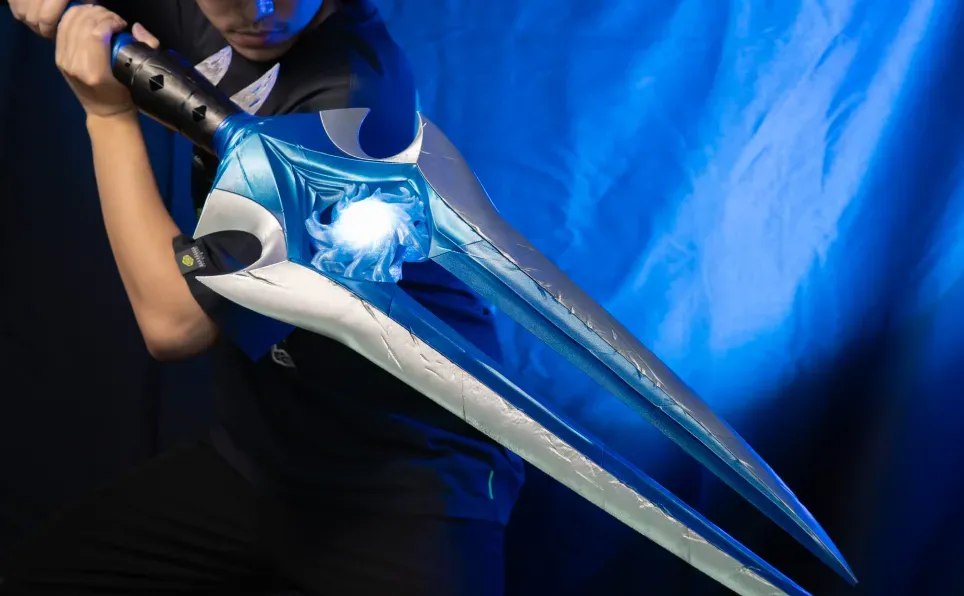
The A2L's 330 x 320 x 325mm build volume is 105% larger than the 256mm class (like the Bambu Lab A1). That percentage sounds abstract until you see what it means in practice.
Full-size cosplay helmets in one piece. A Mandalorian helmet, Iron Man faceplate, or Stormtrooper helmet fits on the A2L bed without splitting. On a 256mm printer, the same helmet needs to be sliced into 3 to 4 sections, printed separately, and glued together with visible seam lines. One-piece printing eliminates alignment headaches and produces a cleaner final product.
Batch printing 30 to 40+ small items. The large bed means you can fill it with keychains, clips, figurines, or phone cases and walk away. One overnight run on the A2L can produce what would take 3 to 4 separate runs on a 256mm printer.
Large home decor. Vases up to 325mm tall, lamp shades, wall art panels, planters, and decorative sculptures that simply do not fit on smaller printers. The "big 3d printer" capability means you stop thinking about whether something fits and start thinking about what you want to make.
Functional furniture parts. Shelf brackets, drawer organizers, large cable management systems, and replacement parts for furniture that need to be structurally substantial.
Terrain and tabletop gaming. Dungeon tiles, building facades, and terrain boards that can be printed in larger sections, reducing the number of seams on a finished gaming table.
The honest reality: you do not need a huge 3d printer for every project. Most everyday prints (phone cases, small tools, keychains) fit easily on a 180mm or 256mm bed. The A2L justifies its size when you regularly print objects above 250mm in any dimension, when you batch print in volume, or when you want the flexibility to take on large projects without planning for model splitting. If you only print small items occasionally, a smaller printer like the Bambu Lab A1 Mini is a better fit and a lower investment.
Print Quality and Speed: Real Results
A large format 3d printer is only useful if the print quality holds up at scale. Bigger prints mean longer print times, more layers, and more opportunities for vibration artifacts, layer shifts, and quality degradation. The A2L addresses this with two specific technologies.
Adaptive Vibration Compensation
Most printers run input shaping calibration once at startup and use those values for the entire print. The problem with large prints is that the vibration characteristics change as the print grows taller and heavier. A bed-slinger design (where the bed moves on the Y axis) is especially sensitive to this because the effective mass on the Y axis increases with every layer.
The A2L recalibrates its vibration model continuously during the print. It factors in both the toolhead position and the changing bed load, adjusting resonance compensation layer by layer. In practice, this means the last layer of a 320mm tall print comes out as clean as the first. I printed a 300mm tall spiral vase and there was no visible quality degradation between the bottom and top sections, which is impressive for a bed-slinger at this price.
Granular Dampers
Inside the gantry, the A2L uses sealed chambers filled with fine particles that absorb vibration through micro-collisions. This is a damping technique from aerospace and precision machinery that I have not seen on any other consumer 3D printer. The practical result is reduced surface ripples and ghosting, even at full print speed on tall models.
Speed
The A2L is fast for a large format printer. Typical real-world print times I observed:
| Object | Size | Print Time (Normal) | Print Time (Fast) |
|---|---|---|---|
| 3D Benchy | 60 x 31 x 48mm | ~48 min | ~30 min |
| Phone case | 150 x 75 x 12mm | ~1h 20min | ~50 min |
| Large vase (spiral) | 150 x 150 x 300mm | ~4h 30min | ~3h |
| Full helmet | 280 x 250 x 300mm | ~18h | ~12h |
| Batch of 30 keychains | Full bed | ~3h 30min | ~2h 15min |
These times are competitive with other printers in the price range and significantly faster than budget large format printers from 2 to 3 years ago.
Multi-Color and Multi-Tool: More Than Just Printing
The A2L is not just a big 3d printer. It is a platform with a growing ecosystem of capabilities.
AMS Multi-Color Printing
The Combo version ($699) includes the AMS Lite, which enables 4-color printing out of the box. For projects that benefit from color (logos, text, multi-colored models), this eliminates the need for painting or manual filament swaps.
If 4 colors are not enough, the A2L supports the 2nd-Gen AMS, which adds sealed, humidity-controlled filament storage with on-demand drying. You can stack AMS units to reach up to 16 colors. The 2nd-Gen AMS and AMS Lite share the same buffer system, so you can mix and match them.
Multi-color large-format prints are where the A2L really stands out. A multi-color helmet, a full-size game board with colored regions, or a batch of custom keychains each with different text colors. These projects would be impractical or extremely tedious on printers without reliable automatic filament switching.
Blade Cutting Module
Swap the toolhead cover for the cutting module and the A2L becomes a cutting machine. It cuts stickers, vinyl, leather, fabric, and paper. The alignment uses your smartphone camera for precise positioning.
This sounds like a gimmick until you actually use it. I made custom vinyl decals for a 3D printed RC car body and leather wraps for printed tool handles. If you are into craft projects beyond pure 3D printing, this turns the A2L into a multi-purpose fabrication tool. No other large format fdm 3d printer at this price offers this capability.
Pen Drawing Module
A pen plotting attachment for drawing on flat surfaces. Useful for addressing envelopes, creating paper templates, or drawing registration marks for other craft projects. More niche than the blade cutter, but a nice bonus.
Beginner-Friendly Features That Actually Matter
Saying a printer is "beginner-friendly" means nothing without specifics. Here is what the A2L does to make large format 3d printer ownership painless for someone who has never used a 3D printer before.
Full auto-calibration, every time. The A2L calibrates the bed level, nozzle offset, and flow dynamics before every print. You never manually adjust a knob or turn a screw. This is the single most important feature for beginners because bed leveling issues are the number one cause of failed first prints on other machines.
Flow Dynamics Calibration. Before each print, the A2L measures how filament actually flows through the nozzle with the current spool and builds a compensation model. Nozzle wear, filament moisture variation, and spool-to-spool differences are all accounted for automatically. The result is consistent print quality without manual tuning.
Intelligent failure detection. Sensors along the extrusion path detect filament tangles, runout, nozzle clogs, and air printing (when the nozzle moves but no material comes out). When an issue is detected, the printer pauses and the Bambu Handy app guides you through the fix on your phone. On a 15-hour large print, this can save an entire day of wasted time and material.
49dB Silent Mode. A large scale 3d printer running for 12 to 18 hours overnight needs to be quiet. At 49dB, the A2L in Silent Mode is comparable to a quiet refrigerator. I run it in my home office while working and it is not distracting. Active motor noise cancellation and intelligent fan scaling keep the sound profile consistent rather than having sudden loud fan bursts.
UL 2904 GREENGUARD certified. The A2L is tested and certified for indoor air quality when used with Bambu Lab's official filaments (PLA Basic, PLA Pure, PETG Basic). This means emission levels are verified safe for home use, which matters when the printer is running for extended periods in a living space. For more on 3D printing safety, see our toxicity guide.
Bambu Handy app. Monitor prints remotely, get failure notifications, start and stop prints from your phone. When you start a large print before leaving for work, being able to check progress and catch failures from your phone is genuinely useful.
Bambu Lab A2L vs Other Large Format 3D Printers
Here is how the A2L compares head-to-head with its closest competitors. This is the comparison I wish I had when I was deciding which large format printer to buy.
| Feature | Bambu Lab A2L | Creality K2 Plus | Qidi Max 4 | Prusa XL |
|---|---|---|---|---|
| Price | $569 | $599 | $1,099 | $1,599 |
| Build Volume | 330 x 320 x 325mm | 350 x 350 x 350mm | 380 x 300 x 400mm | 360 x 360 x 360mm |
| Auto Calibration | Full (bed + flow + vibration) | Yes (bed + vibration) | Yes (bed + flow) | Yes (bed) |
| Multi-Color | AMS Lite (4), expandable to 16 | Up to 4 colors | Up to 4 colors | Up to 5 toolheads |
| Frame Type | Open | Enclosed | Enclosed | Open |
| Multi-Tool | Blade cutting + pen plotting | No | No | No |
| Noise Level | 49dB silent mode | ~50dB | ~52dB | ~45dB |
| Failure Detection | Clog, runout, air print, grinding | Runout, clog | Runout | Runout |
| Max Nozzle Temp | 300°C | 300°C | 350°C | 300°C |
| Enclosure | Open (no enclosure) | Enclosed | Enclosed | Open |
| Warranty | 2 years | 1 year | 1 year | 2 years |
| Best For | Beginners wanting value + ecosystem | Budget large volume | Engineering materials | Open-source enthusiasts |
A2L vs Creality K2 Plus
The K2 Plus is the closest competitor at $599. It offers slightly more build volume (42.9L vs 34.3L) and comes enclosed, which is better for ABS and ASA printing. If you need an enclosed large format printer for engineering materials, the K2 Plus has an edge.
The A2L wins on ecosystem (AMS integration, Bambu Studio, Bambu Handy), multi-tool capability (blade cutting), failure detection depth, and overall polish. The Bambu software stack is noticeably more refined than Creality's, which matters for beginners who want things to work without troubleshooting. The 2-year warranty vs Creality's 1-year is also a meaningful differentiator.
A2L vs Qidi Max 4
The Max 4 is enclosed and supports higher nozzle temperatures (350°C), making it better for serious engineering materials like PA-CF and polycarbonate. But at $1,099, it costs nearly double the A2L. If you are a beginner printing PLA and PETG (which is 90% of what beginners print), spending $530 more for enclosed printing you do not need yet is hard to justify.
A2L vs Prusa XL
The Prusa XL is a multi-toolhead machine that can run up to 5 independent extruders. It is an engineering achievement and beloved by the open-source community. But at $1,599 for the single-head version (and $2,500+ for 5 heads), it is in a completely different price category. The A2L delivers 80% of the functionality at 35% of the price for the target audience of beginners.
Bottom line: For a beginner looking for the best large 3d printer under $600, the A2L offers the strongest combination of build volume, ease of use, ecosystem integration, and multi-tool versatility. The only reason to choose a competitor is if you specifically need an enclosed printer for high-temperature materials (K2 Plus or Max 4) or if you are deeply invested in the open-source ecosystem (Prusa XL).
For a broader look at all large format options including the H2S and industrial models, see our comprehensive large format 3D printer guide.
Who Should Buy the Bambu Lab A2L?
The A2L Is Perfect For:
Beginners who want room to grow. If you are buying your first 3D printer and suspect you will want to print large objects eventually, the A2L saves you from buying a small printer now and upgrading later. The price difference between the A2L ($569) and a smaller Bambu Lab A1 ($340 to $400) is only $170 to $230, but the build volume increase is 105%.
Cosplay and prop makers. One-piece helmets, armor sections, and weapon props without seam lines. The 330mm build height handles most wearable pieces.
Small business and Etsy sellers. Batch printing 30 to 40+ items per run means more output per day. Multi-color AMS integration means you can offer custom color options without manual intervention.
Home and workshop users. Large functional parts: shelf brackets, drawer organizers, tool holders, replacement parts for furniture and appliances that need to be structurally substantial.
Craft enthusiasts. The blade cutting and pen plotting modules make the A2L a multi-purpose fabrication tool, not just a 3D printer.
The A2L Is Not Ideal For:
Users who need an enclosed printer. The A2L is open-frame. For ABS, ASA, PA-CF, and other materials that require a heated chamber, you need an enclosed printer like the Bambu Lab P1S, H2S, Creality K2 Plus, or Qidi Max 4.
Users who need extreme build volume (>400mm). If your projects regularly exceed 400mm in any dimension, you are looking at industrial large format printers like the Modix V4, BigRep, or the Bambu Lab H2S (which offers servo motor precision and laser cutting at a higher price point).
Users on the tightest budget. If $569 is a stretch, the Bambu Lab A1 Mini ($200 to $300) or A1 ($340 to $400) are better starting points. You can always upgrade to the A2L later, and smaller printers handle 90% of common print projects without issue.
My Experience After Weeks of Printing on the A2L
Setup took about 25 minutes from opening the box to starting the first print. The A2L ships mostly assembled. You attach the spool holder, plug in a few cables, run the auto-calibration (which takes about 10 minutes the first time), and you are ready. There was no manual bed leveling, no nozzle offset adjustment, nothing that required reading a guide or watching a tutorial. I have set up printers that took 2 to 3 hours of assembly and calibration, so this was a refreshing change.
My first large print was a 280mm tall spiral vase in gradient blue PLA. It came out perfectly, with smooth surfaces from bottom to top. The Adaptive Vibration Compensation was doing its job because tall vases on bed-slinger printers often show quality degradation in the upper layers. This one did not.
Over the following weeks I printed a full-size cosplay helmet (single piece, 16 hours), a batch of 35 keychains in one run (2.5 hours), several large functional parts for my workshop, and tested the blade cutting module on vinyl stickers. The failure rate across roughly 40 prints was two failures, both due to poor support placement on my part rather than printer issues. After adjusting the supports, both models printed successfully on the second attempt.
The AMS Lite multi-color printing worked reliably across dozens of color changes per print. I ran a 19-color decorative piece (using MakerWorld's Nordschleife 3D Miniature model) that required hundreds of filament swaps and it completed without a single jam. That level of reliability on color changes over a long print is impressive.
The blade cutting module surprised me. I expected it to be a gimmick but it cuts vinyl and paper with genuine precision. I made custom decals for printed models and sticker labels for storage containers. The smartphone alignment process is clever and worked on the first try.
Noise was never an issue. In Silent Mode I can work at my desk 2 meters away without noticing the printer. Overnight prints did not disturb sleep in the next room.
If I had to name a weakness, it would be the open-frame design. On a few windy days with the window open, I noticed slight first-layer adhesion inconsistency that I traced to air currents across the bed. Closing the window solved it immediately. An enclosed printer would not have this issue, but for PLA and PETG printing in a normal indoor environment, the open frame is perfectly fine. For infill-heavy or tall prints in a controlled room, I had zero adhesion problems.
FAQ
What is the best affordable large format 3D printer for beginners?
The Bambu Lab A2L ($569) is the best affordable large format 3D printer for beginners in 2026. It offers a 330 x 320 x 325mm build volume (105% larger than the standard 256mm class), full auto-calibration that requires zero manual adjustment, multi-color support through the AMS system, a multi-tool ecosystem with blade cutting, and intelligent failure detection. At $569, it is the lowest-priced large format printer that combines beginner-friendly automation with a premium feature set. The next closest competitor at a similar price point is the Creality K2 Plus at $599, which offers slightly more build volume but lacks the Bambu Lab ecosystem and multi-tool capability.
How much does a large format 3D printer cost?
Consumer large format 3D printers (build volume above 300mm in all axes) range from $569 to $5,000+. The Bambu Lab A2L starts at $569, the Creality K2 Plus at $599, the Qidi Max 4 at $1,099, and the Prusa XL at $1,599. Industrial large format printers from BigRep and Modix start at $4,000 to $5,000 and can exceed $50,000 for the largest models. For most beginners printing PLA and PETG at home, a printer in the $569 to $699 range provides more than enough build volume for cosplay helmets, large home decor, batch production, and oversized functional parts.
Are large 3D printers worth it?
A large format 3D printer is worth it if you regularly need to print objects larger than 250mm in any dimension, or if you want to batch print many items in a single run. Specific use cases where large format pays for itself: cosplay helmets and props (eliminating seam lines from split prints), terrain and tabletop gaming boards, large vases and home decor, batch production of items for sale, and oversized functional parts for home repair. If you mostly print small objects like keychains, phone cases, and figurines, a standard 180mm to 256mm printer is sufficient and more affordable. The A2L's 105% volume increase over 256mm printers costs only $170 to $230 more than the smaller Bambu Lab A1, which makes the upgrade relatively low-risk.
What is the largest thing a 3D printer can print?
The Bambu Lab A2L can print objects up to 330 x 320 x 325mm in a single piece. That is large enough for a full-size adult cosplay helmet, a 325mm tall vase, or roughly 30 to 40 small items printed simultaneously. Consumer printers top out at approximately 400 x 400 x 400mm (models like the Qidi Max 4). Beyond that, industrial printers from BigRep can print up to 1,000 x 1,000 x 1,000mm, and specialty construction printers can print entire building components. For home users, the A2L's 330mm range covers the vast majority of large-format projects without needing to split models into parts.